Step-By-Step Instructions:
Step 1: Go to https://cop.usps.com and log in, or create a new account if necessary.
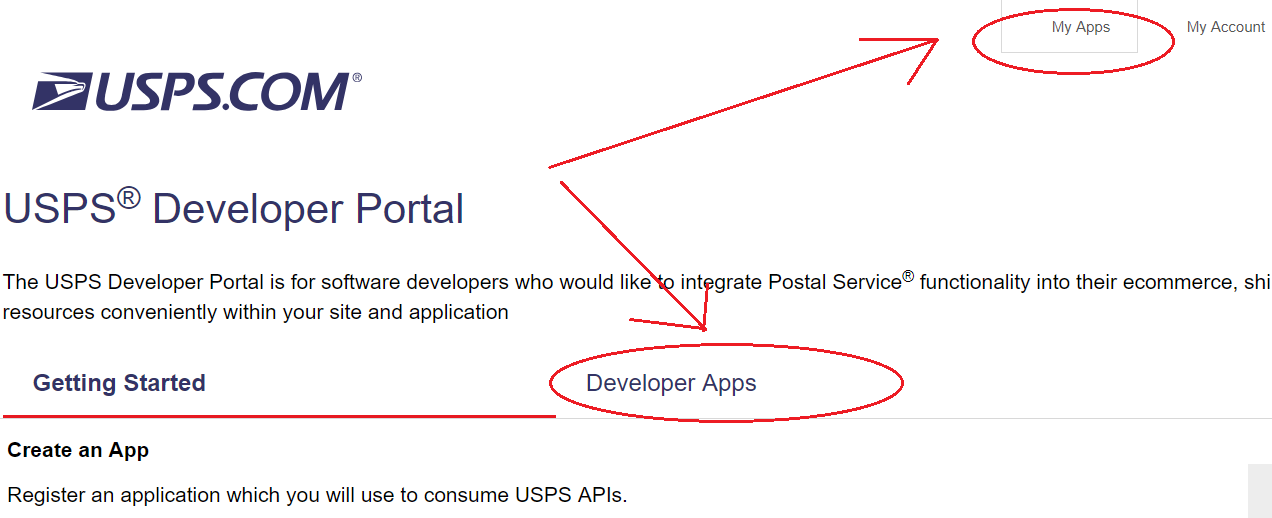
Step 2: Click on My Apps at the top and then the Developer Apps tab:
Step 3: Click Add App.
Step 4: Fill it out. Leave "callback url" blank.
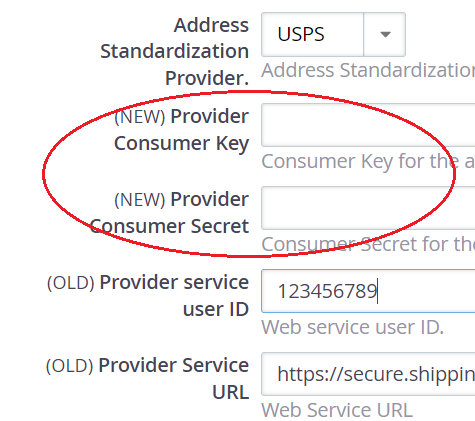
Step 5: Get the Consumer Key and Consumer Secret it creates, and copy it into your CRM at Administer > Localization > Address Settings, then scroll down to the "Address Standardization" section.
Step 6: Click "Save."
*Note: This USPS tool will standardize your addresses and also make all the address details UPPERCASE. If you want to make sure your addresses only have the first letter of each word capitalized, use the normalize tool by going to Administer > Custom Data and Screens > Normalize